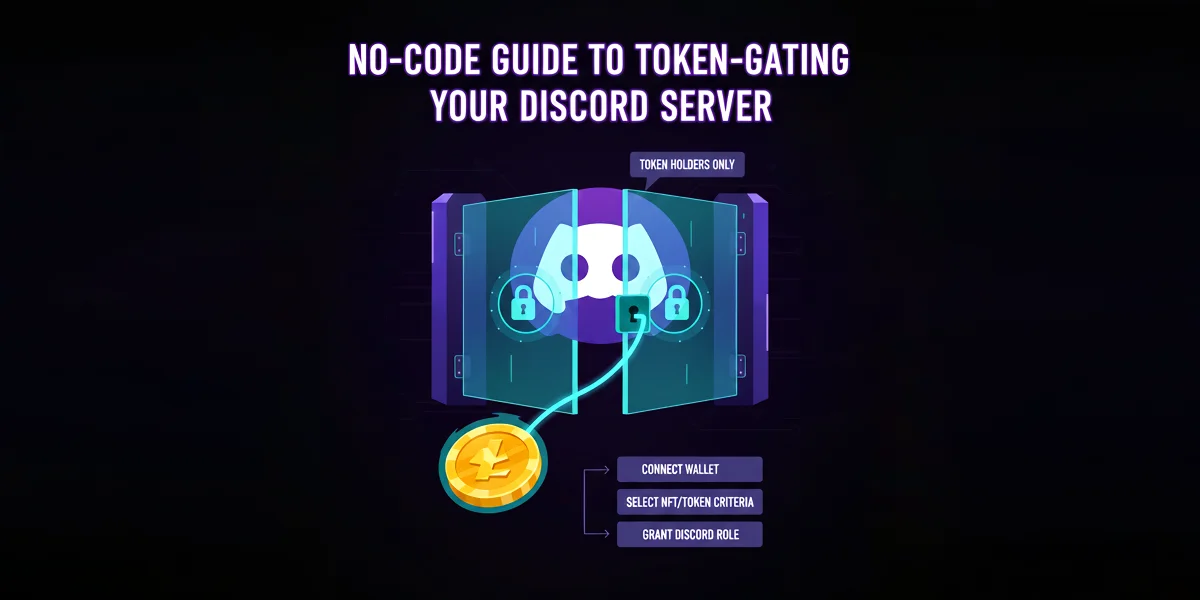
Token-gating is the process of restricting access to certain channels or an entire Discord server to only users who hold a specific Non-Fungible Token (NFT) or a required amount of a specific cryptocurrency token. This strategy is essential for NFT projects, Decentralized Autonomous Organizations (DAOs), and Web3 communities looking to provide exclusive access and value to their holders.
This guide provides a step-by-step, no-code approach using popular third-party services to set up token-gating on your Discord server quickly and securely…
Prerequisites
Before you begin, ensure you have:
A Discord Server: You must have Owner or Administrator permissions.
The Target Token/NFT: You must know the Contract Address of the token or NFT collection you wish to gate access with (e.g., Ethereum, Polygon).
A Token-Gating Bot: We will focus on two popular no-code solutions: Collab.Land and Guild.xyz.
1. Setting Up Your Discord Server
Step 1: Create the Restricted Roles and Channels
Your token-gating bot will automatically assign a designated role to verified holders.
1.Create the Gated Role: Go to Server Settings $\rightarrow$ Roles $\rightarrow$ Create Role. Name it clearly (e.g., Verified Holder or NFT Owner).
2.Adjust Permissions: Ensure this new role has the permissions you want the holders to have (e.g., ability to view and speak in special channels).
3.Create the Gated Channels: Create new text or voice channels (e.g., #holder-lounge, #alpha-access).
4.Restrict Access: In the Channel Permissions for these new channels, deny the @everyone role the ability to View Channel. Then, explicitly allow the Verified Holder role to View Channel.
Step 2: Create a Verification Channel
You need a public channel where users can start the verification process.
1.Create a public channel (e.g., #start-here or #verify-wallet).
2.In this channel, provide clear instructions asking users to connect their wallet using the bot (this is where you will add the bot's verification command later).
 2. Token-Gating with Collab.Land (Recommended for Beginners)
Collab.Land is a widely used, robust solution that supports numerous blockchains.
Step 3: Add the Collab.Land Bot to Your Server
1.Go to the Collab.Land website and click Launch App.
2.Click Add to Discord and authorize the bot to join your server.
3.Ensure the bot has the permission to Manage Roles so it can assign the holder role.
Step 4: Configure the Token Requirement
1.In your Discord server, go to the public verification channel (e.g., #verify-wallet).
2.Type the configuration command: /setup
3.Collab.Land will guide you through an interactive setup process:
Select Role: Choose the gated role you created (e.g., Verified Holder).
Select Token Standard: Choose the type of asset (e.g., ERC-721 for NFTs, ERC-20 for fungible tokens).
Enter Contract Address: Paste the contract address of your NFT collection or token.
Set Amount: Specify the minimum amount of tokens or NFTs required (e.g., 1 for one NFT).
Review and Save: Confirm the settings.
Step 5: Final Verification Setup
1.Collab.Land will now post a message in the channel with a verification button.
2.Users click the button, which opens a secure window to connect their wallet (e.g., MetaMask).
3.If the wallet holds the required assets, Collab.Land automatically grants the Verified Holder role, immediately unlocking the restricted channels.
3. Token-Gating with Guild.xyz (Recommended for Complex Requirements)
Guild.xyz is a versatile tool that allows for more complex "membership requirements" across multiple platforms (Discord, Telegram, etc.) and offers powerful composability.
Step 6: Create Your Guild and Connect Discord
1.Go to the Guild.xyz website and log in by connecting your wallet.
2.Click Create Guild.
3.Connect Discord: Follow the prompts to connect your Discord server. You will need to authorize the Guild bot to join your server and manage roles.
Step 7: Define the "Requirement"
A Requirement is the rule a user must satisfy to get a role.
1.In your Guild dashboard, go to the Requirements tab.
2.Click Add Requirement.
3.Select Chain: Choose the blockchain (e.g., Ethereum, Solana).
4.Select Asset Type: Choose whether you require an NFT, a fungible token, a balance, or a specific transaction.
5.Enter Contract Details: Paste the contract address and specify the required amount.
Step 8: Assign the Role ("Reward")
A Reward is the role that is granted when the Requirement is met.
1.In your Guild dashboard, go to the Roles tab.
2.Create a new role (e.g., Holder Access).
3.Connect Role to Requirement: Select the gated role you created in Discord (e.g., Verified Holder).
4.Link: Link the role to the Requirement you defined in Step 7.
Step 9: User Verification
1.Guild automatically generates a public "Join Guild" link. Share this link in your #verify-wallet channel.
2.Users visit the link, connect their wallet, and link their Discord account.
3.Guild continuously monitors their wallet. If the assets are held, the bot instantly grants the role and access is secured.
 Security and Maintenance Tips
Role Hierarchy: Ensure the bot's role is higher than the role it is managing (e.g., the Verified Holder role) in your Discord Role Settings. This is crucial for the bot to be able to assign the role.
Revoking Access: Both Collab.Land and Guild.xyz continuously monitor wallets. If a user sells or transfers the required token, the bot automatically removes the gated role, revoking their access to the exclusive channels.
Welcome Message: Use the verification channel to post a clear message explaining why they need to connect their wallet and what channels will be unlocked once they do.
Never Ask for Seed Phrase: Remind your community that no legitimate bot will ever ask for their wallet's seed phrase or private key. The connection process is strictly signature-based.
Conclusion
By using these no-code tools, you can establish a secure, automated, and effective token-gated community in minutes, enhancing exclusivity and value for your verified holders.
Read more in our blog…
